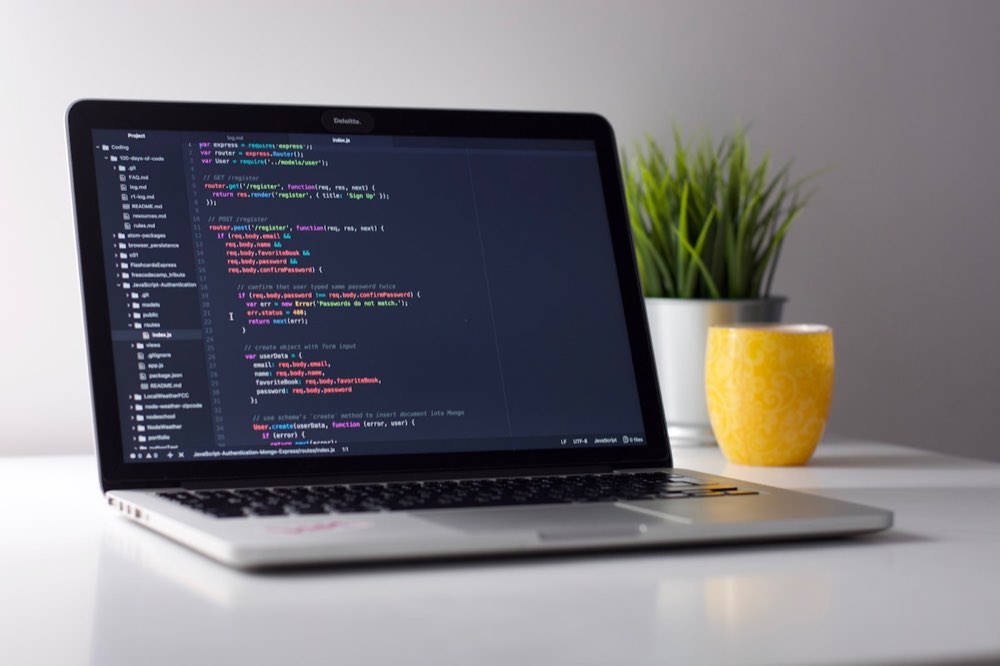
Google's Gemini app can now preview and edit the files it generates without leaving the chat. The change, announced October 29, 2026, removes a step many users found tedious: asking for a document, downloading it, fixing it elsewhere and uploading it again. This guide explains how the Gemini file editing feature works, which formats are supported on which devices, and what to check before relying on it.
What Changed
Gemini could already generate files, a capability that arrived earlier in 2026 and produced documents users then had to download or export to Google Drive. The new update adds a preview and an editor in the conversation itself. According to Google's Workspace Updates post, users can generate, preview and edit files directly in the chat. The feature covers documents, PDFs, slide decks, spreadsheets, Markdown, plain text and code.
How to Use It
Google describes three ways to change a file once it appears in the conversation.
- Type directly. Expand the preview to full screen and edit the content by typing, much as you would in a regular editor.
- Highlight and ask. Select a passage, including text or visuals, and ask Gemini a question about it or request a change to just that part.
- Ask for a refinement. Tell Gemini in plain language how to revise the whole file, such as tightening the tone or reorganizing sections.
A sensible workflow is to let Gemini draft the file, make quick manual fixes by typing, then use highlighting for targeted rewrites. Targeted requests keep the rest of the document stable, which reduces the chance of unwanted changes elsewhere.
What Works on Web and Mobile
Support differs by device, and this is the detail most likely to trip people up.
- Web and mobile: PDF preview and editing.
- Web only: Documents, spreadsheets, slide decks, Markdown, plain text files and code.
If you are on a phone, expect to work with PDFs only for now. For anything else, open Gemini in a browser. One outlet describes the mobile limit even more strictly, saying PDFs are the only format that can be previewed and edited on the mobile app at present, so check what your own device offers.
Who Has Access
Google says the feature is available to Google Workspace customers, Workspace Individual subscribers and personal Google account users, in every language where the Gemini app is offered. It was available immediately for both Rapid Release and Scheduled Release domains, so most users should see it without waiting.
Administrators have no separate control over this feature. The only lever is turning the Gemini app on or off as a whole, which matters for organizations that want to restrict file generation and editing.
Why It Matters
Keeping the draft, the edits and the conversation in one place shortens the loop between idea and finished file. That is useful for quick memos, summaries and clean-up work, where switching tools costs more time than the editing itself. It also keeps your instructions and the resulting document together, which makes it easier to see what you asked for and what Gemini produced.
The trade-off is control. Edits made through a chat assistant still need review, and the lack of an admin switch for this feature means organizations with strict document policies need to decide at the app level.
Practical Tips
- Review before sharing. Read the final file once from top to bottom, especially after several rounds of AI edits.
- Keep sensitive data out unless policy allows it. Check your organization's rules before pasting confidential material into any chat tool.
- Use highlighting for precision. Select only the passage you want changed rather than asking for broad rewrites.
- Save a copy. Export or download the version you intend to keep, so you have a record independent of the chat.
Common Workflows
The in-chat editor fits several use cases. The most obvious is drafting. Ask Gemini for a memo on a topic, review the draft in the full-screen editor, and type in corrections or highlight sections to revise without leaving the chat. Another workflow is formatting and cleanup. If you paste a rough transcript or list into Gemini and ask for a polished version, you can now refine the result within the same conversation, which keeps the context in view.
A third use case is templating. Generate a spreadsheet or slide deck, then fine-tune it with a few edits and highlighted sections until it matches your needs. A fourth is collaborative drafting, if your team is all in the same Gemini chat: someone asks for a document, Gemini generates it, and team members can take turns suggesting edits via the chat rather than juggling versions.
Limitations Worth Knowing
The feature assumes you trust Gemini's edits, which is a larger assumption for sensitive or complex content. If an edit goes wrong in a PDF and Gemini auto-rewrites the next section, you may not catch the cascade. This is why the "review before sharing" step matters, and why anything bound for legal, compliance or financial review should go through a person.
The lack of admin control is a bigger issue for organizations with security policies. If your company's rule is "no generated content leaves a chat without export," then the in-app editor is a workaround that could become a loophole. IT and security teams should think through the implications before their users start relying on this.
Availability remains device-dependent. If your team is a mix of laptop and phone workers, the PDF-only mobile limit will create friction. Someone on a phone will have to defer edits to a browser, which breaks the convenience.
When to Use It
In-chat editing is best for iterative, low-stakes content: first drafts, internal summaries, templates, and quick revisions. It is less suitable for final deliverables that require a clean edit history, approvals or audit trails. For quick work, it removes a step and keeps context close. For careful work, it is a tool among others rather than a replacement for a proper document editor.
Bottom Line
In-chat editing turns Gemini from a tool that hands you a file into one that helps you finish it. The limits are clear: PDF-only on mobile, no admin control, and the usual need for human review. For individuals and teams already using Gemini for drafting, it is a small change that removes a real friction point. For everyone else, it is a reminder that the line between chatbot and editor is blurring quickly.
Google's rollout does not yet compete with full-featured editors, and the platform limits keep mobile users in PDF-land. But the foundation is there. As mobile support expands and more formats become editable on every device, the convenience of staying in the chat will grow. For now, the feature is useful for drafting and cleanup, and a good signal of where consumer productivity tools are headed.